“Which full-size mechanical keyboard with macro keys is best if you want a soft keystroke that isn't too flat?”
Best mechanical keyboard with macro keys.
The 5 best full-size mechanical keyboards with macro keys, scored out of 10: the Razer BlackWidow V4 Pro wins, the Redragon K550 is the best value.
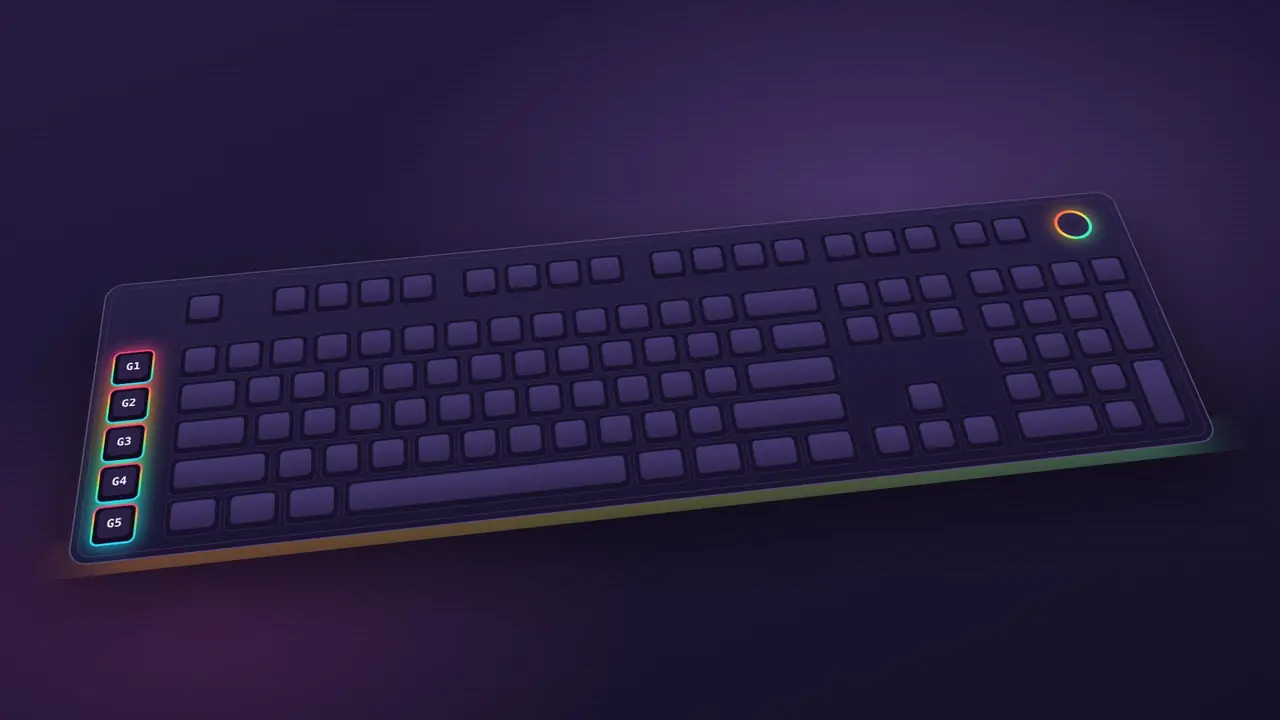 AI illustration
The short answer
- The Razer BlackWidow V4 Pro is the most complete board – eight macro keys, a command dial and a choice of soft linear or clicky switches.
- Soft means a linear switch at about 45 g; a bit firmer means a tactile switch at 50–55 g with a small bump.
- On a budget, the Redragon K550 – second in our scoring – gives you 12 macro keys and a 55 g tactile switch for about $70.
Looking for the best mechanical keyboard with macro keys? This guide is for gamers who play MMORPGs, sims or strategy games, and for users of editing and productivity software who want extra macro keys for commands they repeat all day.
Four criteria decide who gets on this list: a full-size layout with a real number pad, dedicated, programmable macro keys, normal height – no low-profile boards – and a keystroke that is soft, or slightly firmer.
Note that we did no testing of our own. We compared manufacturer specs with published reviews from Tom's Hardware, PC Gamer, RTINGS and others, to help you decide before you purchase.
It matters because most new gaming keyboards, and nearly all custom keyboards, favour compact designs over a macro column. The choice is small.
Mechanical keyboard vs normal keyboard: the advantages
A normal office keyboard is a membrane board. Under the keys sits a rubber sheet over a flexible membrane layer, and a key only registers when you push it all the way down. A mechanical keyboard has a separate switch with its own spring under every key. That difference brings five advantages:
- More precision. Every key has the same travel and the same trigger point. RTINGS lists the more consistent and precise key feel as the main plus of mechanical boards.
- You don't have to bottom out. Mechanical switches fire about halfway down – at 2.0 of 4.0 mm on a Cherry MX Red – so a light tap is enough.
- A longer life. Cherry rated its classic MX switches for 50 million presses and the current MX2A generation for more than 100 million, as Tom's Hardware reported. Membrane boards are usually rated far lower; the keyboard brand Akko puts them at about 5 million.
- Highly customizable. You choose linear, tactile or clicky switches, light or heavy. On a hot swappable board you pull the switches out and swap them without soldering, so one worn key doesn't mean a new keyboard.
- Every key press counts. Mechanical gaming boards usually register every key even when you hold many at once (N-key rollover). Redragon states that for the K550.
The disadvantages of mechanical keyboards
Not everyone needs one. The honest list:
- Price. The five boards here cost $50 to $230. A basic membrane keyboard costs a fraction of that.
- Sound. Every mechanical switch is louder than a rubber dome, and clicky switches annoy people in the same room or on a call. Silent switches such as Cherry's Silent Red and sound dampening foam help, but they don't make a board silent.
- Height and weight. A normal-profile board is tall and heavy – stable on a desk, annoying in a bag.
- Spills. Many membrane keyboards are sealed and shrug off a spilled drink, as Akko notes. Open mechanical switches don't.
- A learning curve. If you come from a flat laptop keyboard, the longer travel feels strange for the first days. The macro column also shifts the familiar position of Esc, Tab and Ctrl, and some people keep hitting G1 instead.
If you type or play for hours every day, the advantages usually win. If you write three e-mails a day, a normal keyboard is fine.
Soft or a bit firmer?
Two numbers describe how a key feels: the force it takes to trigger it (in grams) and how far it travels before it does. A linear switch at 45 g feels soft and smooth. A tactile switch at 50–55 g is a little firmer and gives you a small bump when the key fires – nice for typing, and harder to trigger by accident. Clicky switches add a loud click on top of the bump.
Soft is 45 grams. A bit firmer is 55 grams with a bump.
Which one you prefer is personal. Linear suits fast gaming, tactile suits typing.
What the switch colours mean
Pull off a keycap and you see the coloured stem of the switch. The colour tells you how the switch behaves. The system comes from Cherry's MX switches, the traditional mechanical switches that most others are measured against.
Many makers copy the colours, but there is no binding standard: Razer's Yellow is linear and its Green clicky, and Redragon's Purple is tactile. So check the switch type and the force, not just the colour. These are Cherry's figures for its main MX switches:
| Colour | Type | Force | Trigger point / total travel |
|---|---|---|---|
| Red | linear | 45 cN | 2.0 / 4.0 mm |
| Black | linear, heavier | 60 cN | 2.0 / 4.0 mm |
| Silent Red | linear, damped | 45 cN | 1.9 / 3.7 mm |
| Speed Silver | linear, short | 45 cN | 1.2 / 3.4 mm |
| Brown | tactile | 45 cN, 55 cN at the bump | 2.0 / 4.0 mm |
| Blue | clicky | 60 cN | 2.2 / 4.0 mm |
One centinewton (cN) is roughly one gram of force.
Magnetic switches and Rapid Trigger: not just 0 and 1
A classic mechanical switch is a simple on/off contact. At the trigger point two metal contacts touch, and the key has to travel back up past a fixed reset point before it can fire again. Optical switches, like Corsair's OPX in the K100, use a light beam instead of metal contacts, but they too only know on and off.
Magnetic Hall effect switches work differently. A small magnet sits in the stem, and a sensor on the circuit board measures how far down the key is at every point of its travel (RTINGS, Gateron). That makes three things possible:
- Adjustable trigger point: in the software you set where each key fires, on some boards anywhere from 0.1 to 3.5 mm.
- Rapid Trigger: the key resets as soon as it moves up a little, so you can fire it again without letting go completely.
- Analog input: some boards report how far a key is pressed, like the trigger on a gamepad.
None of the five boards on this list has magnetic switches. They cost more, and even Glorious, which sells them, says they only pay off if these features matter for the way you are playing. Rapid Trigger is sold as a competitive edge in shooters; for macros it does nothing.
Full size, TKL or compact?
A full-size board has everything: the function row on top, the navigation keys and the number pad. A tenkeyless (TKL) board drops the number pad. Compact layouts – 75%, 65% and 60% – also squeeze or remove the function row and the arrow keys and move them onto a second layer under the Fn key.
Smaller boards leave more room for the mouse, which is why many players pick them. This list goes the other way on purpose: a number pad is hard to replace if you enter figures, and dedicated macro keys need space. The price is desk space, so measure your desk before you order a new keyboard.
What macro keys are good for
A macro is a recorded sequence of key presses, so you execute complex commands with a single keystroke. The benefits: macros automate repetitive tasks, which saves key presses and can spare your fingers over a long day. In MMOs it is a chain of skills or a chat command. At work it is a block of text or a shortcut with three modifier keys; programmers put code snippets on them. Check the rules of your game first: some online games ban macros that do more than one action per key press.
Programmability differs from board to board. There are three ways to set up and customize macros:
- On the board: the BlackWidow V4 X, the K550 and the K580 offer on-the-fly macro recording out of the box. You plug the keyboard in, press the record key, type the sequence and push the G-key you want it on – easy, and no program needed.
- In software: in Razer Synapse and Corsair iCUE, macros are managed with delays, mouse clicks and program launches. That customization adds functionality, allowing users to adjust lighting effects per profile as well, but setup and usability vary from brand to brand.
- In multiple profiles: profiles provide separate macro sets for different tasks – one for each game, one for work. Boards with onboard memory save them on the keyboard itself. Razer lists five onboard profiles for the BlackWidow V4 Pro; according to Tom's Hardware, the K580 has no such memory.
Dials such as Razer's Command Dial and Corsair's control wheel are rotary encoders – knobs you can program as well. The Corsair K100 goes one step further: its G-keys also work with Elgato's Stream Deck software. Custom boards from brands such as Keychron, the best-known name in that scene, take another route: open QMK firmware with the VIA app, where any key can become a macro key. Those are mostly compact boards without a macro column.
Scores and specs
Each board gets 0 to 10 points in the four criteria of the brief: macro keys (number, extras like a dial, recording on the board), feel (soft to a bit firmer, and whether you can change switches), features and build, and value. The total is the weighted average.
- 01Razer BlackWidow V4 ProBest all-rounder8.6/10
- 02Redragon K550 YamaMost macro keys8.5/10
- 03Corsair K100 RGBThe softest7.6/10
- 04Razer BlackWidow V4 XValue pick7.3/10
- 05Redragon K580 VataBudget pick7.0/10
Editorial score from manufacturer specs and published reviews, not lab measurements. Total = weighted average, rounded.
| Board | Macro keys | Switches (force) | Price (approx.) |
|---|---|---|---|
| Razer BlackWidow V4 Pro | 8 + Command Dial | Yellow linear 45 g / Green clicky 50 g | $230 |
| Redragon K550 Yama | 12 | Purple tactile 55 g, hot-swap | $70 |
| Corsair K100 RGB | 6 + control wheel | OPX optical 45 g / Cherry MX Speed 45 g | $200 |
| Razer BlackWidow V4 X | 6 | Yellow linear 45 g / Green clicky 50 g | $130 |
| Redragon K580 Vata | 5 | Brown tactile 55 g / Blue clicky 60 g, hot-swap | $50–80 |
US prices at the time of the last update. Euro prices vary a lot from shop to shop.
The five best gaming keyboards with macro keys
1. Razer BlackWidow V4 Pro – the best all-rounder
Our top pick. Five macro keys on the left edge plus three dedicated macro buttons on the side, a Command Dial, dedicated media controls (a roller and four media keys), USB passthrough and a magnetic wrist rest.
Pick the Yellow switch for a soft, quiet linear feel – Tom's Hardware found the Green version extra loud. GamesRadar credits the two layers of sound dampening foam inside the case for the clean sound.
The downsides: ABS keycaps, no hot-swap, wired only, and the highest price here.
2. Redragon K550 Yama – most macro keys, hot swappable
Twelve G-keys, an aluminium top, a volume roller, USB passthrough and a detachable wrist rest. Redragon calls its Purple switch tactile and rates it at 55 g – exactly "a bit firmer".
The sockets are hot-swap, so you can change the feel later. The software is basic, but at about $70 nothing else gives you this much.
3. Corsair K100 RGB – the fastest gaming keyboard
Six G-keys, a control wheel, an aluminium frame and double shot PBT keycaps. Both switch options – the optical OPX and the Cherry MX Speed Silver – are light, and the OPX fires after just 1.0 mm.
That speed is great for fast games – but if you like to rest your fingers on the keys, you will trigger some by accident. It is the softest of the five, and the one for pure performance.
4. Razer BlackWidow V4 X – the value pick
The same two switches as the Pro and six macro keys on the left, without the dial, the wrist rest and the extras. Macros can be recorded on the fly or set up in Razer Synapse.
5. Redragon K580 Vata – the budget pick
Five macro keys with on-the-fly recording and hot-swap sockets for three- and five-pin switches. Take the Brown version for a 55 g tactile feel. Tom's Hardware criticised the bare-bones software and the lack of onboard profile memory.
Gaming keyboard terms worth knowing
Product pages are full of words from the custom keyboard scene. These are the ones you should not miss:
- Hot swappable switches: they sit in sockets instead of being soldered in, so you can swap them with a puller. Both Redragon boards have that, the Razer and Corsair boards don't.
- Sound dampening foam: a foam layer in the case that takes the hollow ring out of each key press. The BlackWidow V4 Pro has two layers.
- Double shot keycaps: the legend is a second layer of plastic, not print, so it can't wear off.
- RGB lighting: coloured lighting under the keys. All five models have it, with customizable colours on the BlackWidow V4 Pro. Give each macro profile its own color and you see at a glance which set is active.
Wired or wireless?
All five boards connect by USB cable. There is no Bluetooth and no battery to charge – no loss for a keyboard that stays on one desk, and the connection is stable.
It does limit the devices you can use. On a Windows PC a cable is fine. If you want one keyboard that can jump between a PC, a laptop and an iPad, you need a wireless board with tri mode connectivity (cable, 2.4 GHz dongle and Bluetooth) – and then you usually give up the macro column, because the wireless products with G-keys, like Logitech's G915 X, are low-profile.
Not on the list
The Corsair Galleon 100 SD (about $350) is one of the most interesting boards of 2026, but its number pad has been replaced by a built-in Stream Deck with 12 LCD keys and two dials.
Logitech's G915 X and G815 have G-keys, but they are low-profile – too flat for this brief.
Which one?
Lots of macros and every extra: the BlackWidow V4 Pro with Yellow switches. If you prefer a slightly firmer, tactile key for little money: the Redragon K550. Not sure about the feel yet: buy a hot-swap board and change the switches later instead of the whole keyboard.
FAQ
What is the best mechanical keyboard with macro keys?
In our comparison of specs and published reviews it is the Razer BlackWidow V4 Pro. The Redragon K550 has the most macro keys and costs about a third.
Is a mechanical keyboard better than a normal one?
For people who type or play a lot, usually yes: more precise feel, longer life, replaceable switches. It is also louder, taller and more expensive.
Are macro keys worth the money?
If you repeat the same commands many times a day, yes. If not, a board without them is cheaper and narrower, and most software lets you add macros to normal keys.